Linko

Peer-Powered Academic Help
Project Overview
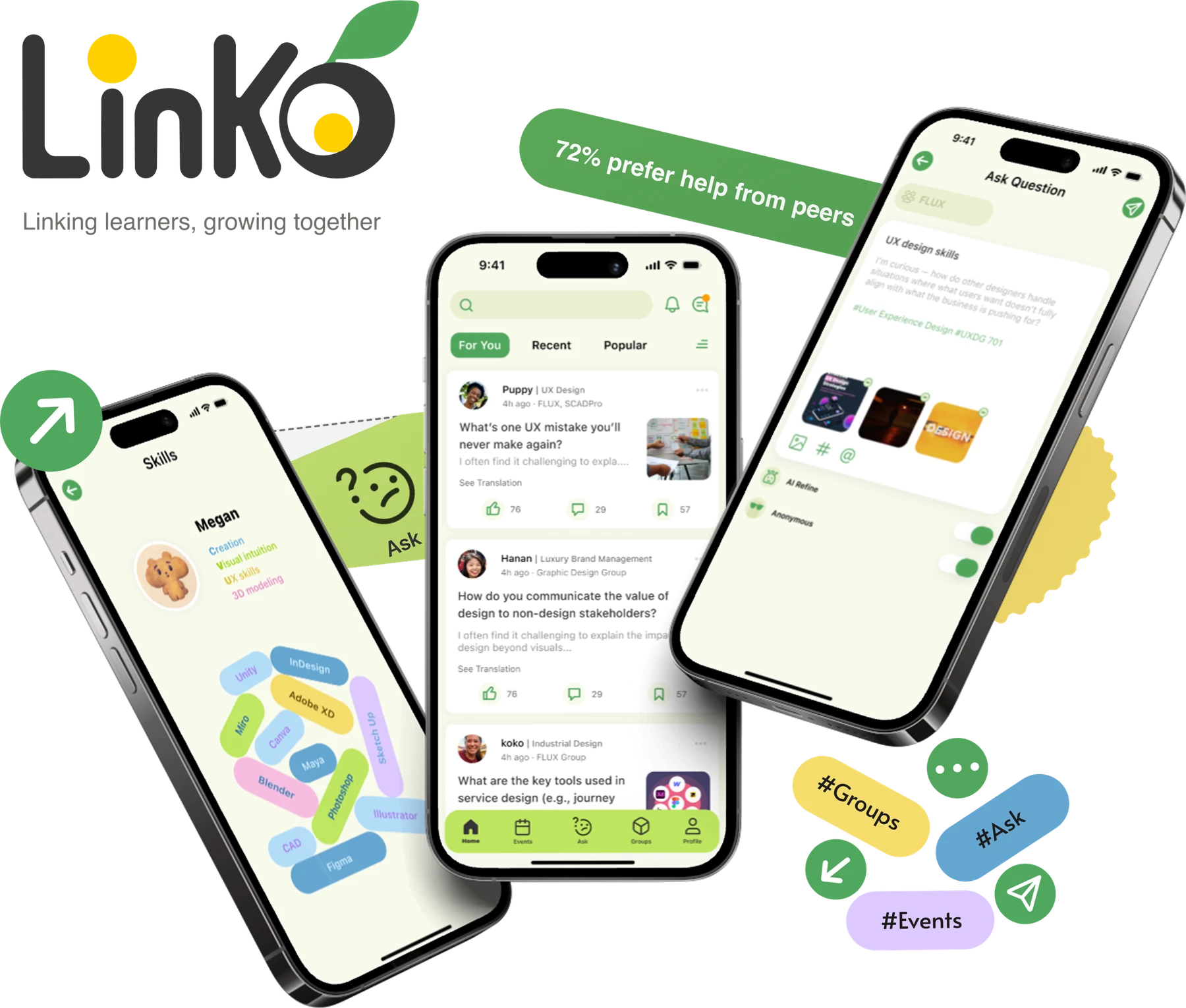
Students often need help but don’t know where to turn. Academic support is scattered across different channels, while fear of judgment can make asking even harder. Linko brings peer support into one place, giving students a safe way to ask questions, connect with classmates, and find the help they need.
My Role
I led UX research and interaction design, translating student needs into Linko’s navigation, user flows, and core interactions, then refining them through usability testing.
See how it works
Understanding how students seek help
I started by exploring how students seek academic help, where they turn, who they trust, and what makes them hesitate to ask.
Asking for help feels like I’m bothering someone.
Student
of students said they preferred help from peers
I’d feel comfortable learning from a peer.
Student
Mapping the student help-seeking journey
I synthesized the research into a journey map to uncover where students experienced the most friction while seeking support.
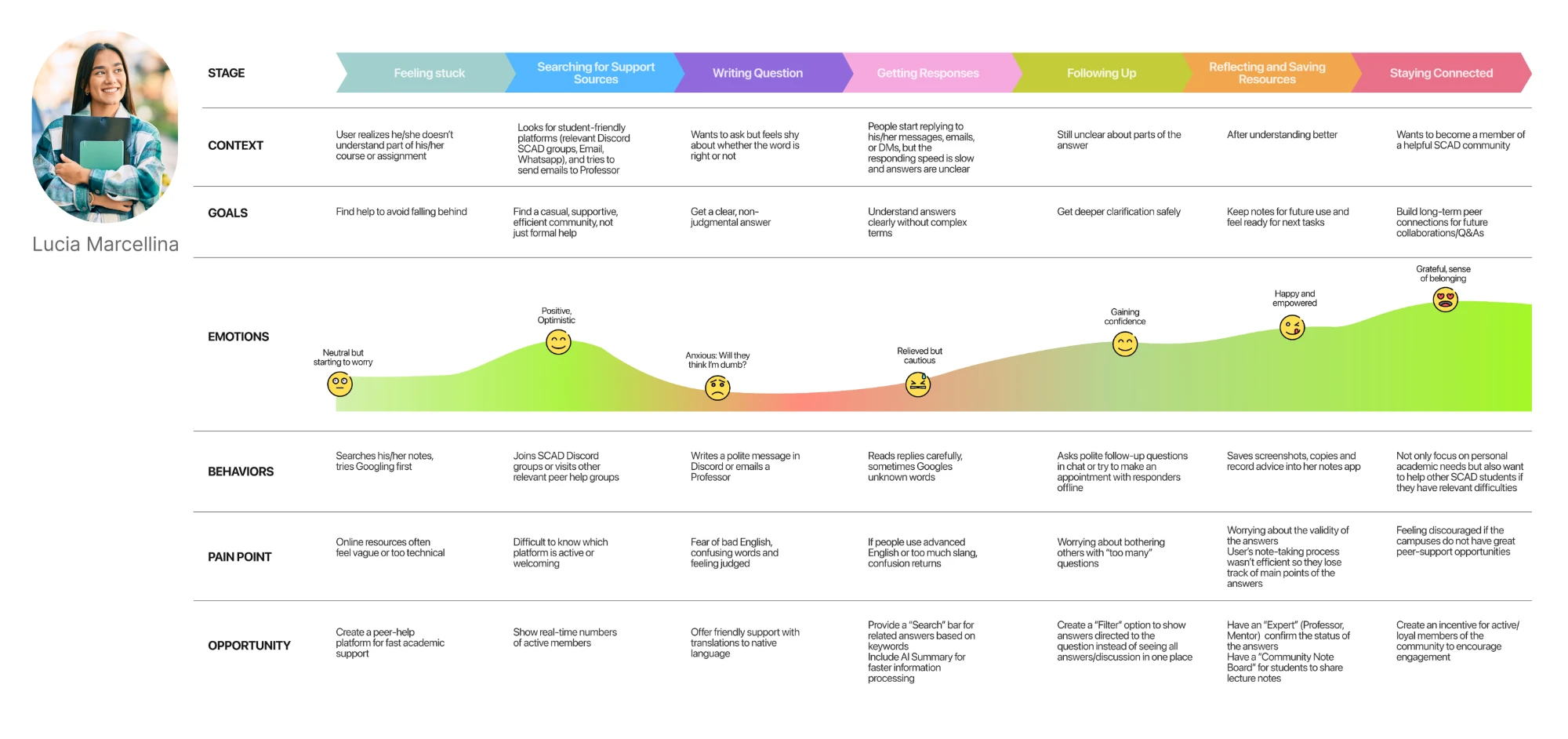
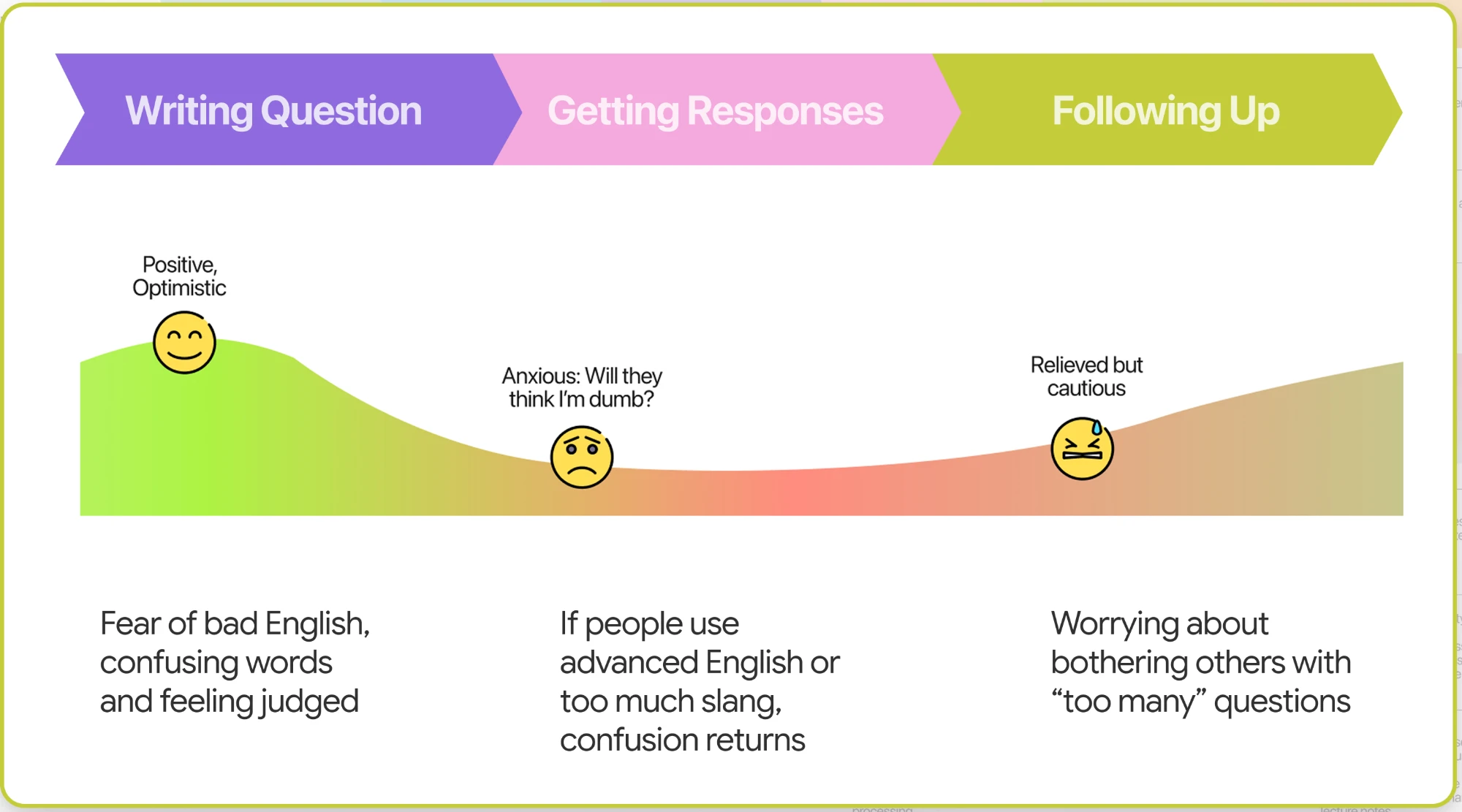

Getting help wasn’t the hardest part. Asking for it was.
The journey revealed that students faced the most friction when asking questions and following up, driven by fear of judgment, unclear language, and hesitation to bother others.
Turning research into design direction
-
Trusted & Centralized
Finding: Students wanted one trusted place for support.
Design direction: Bring academic help and connection into one experience.
-
Personal & relevant
Finding: Students valued support relevant to their needs and context.
Design direction: Surface relevant people, groups, and opportunities.
-
Low effort
Finding: Students hesitated when asking required too much effort.
Design direction: Make asking quick and approachable.
-
Peer driven
Finding: Students preferred people with shared experience.
Design direction: Prioritize peers with relevant experience.
-
Judgment free
Finding: Fear of judgment made students hesitate to ask.
Design direction: Give students control over how they ask for help.
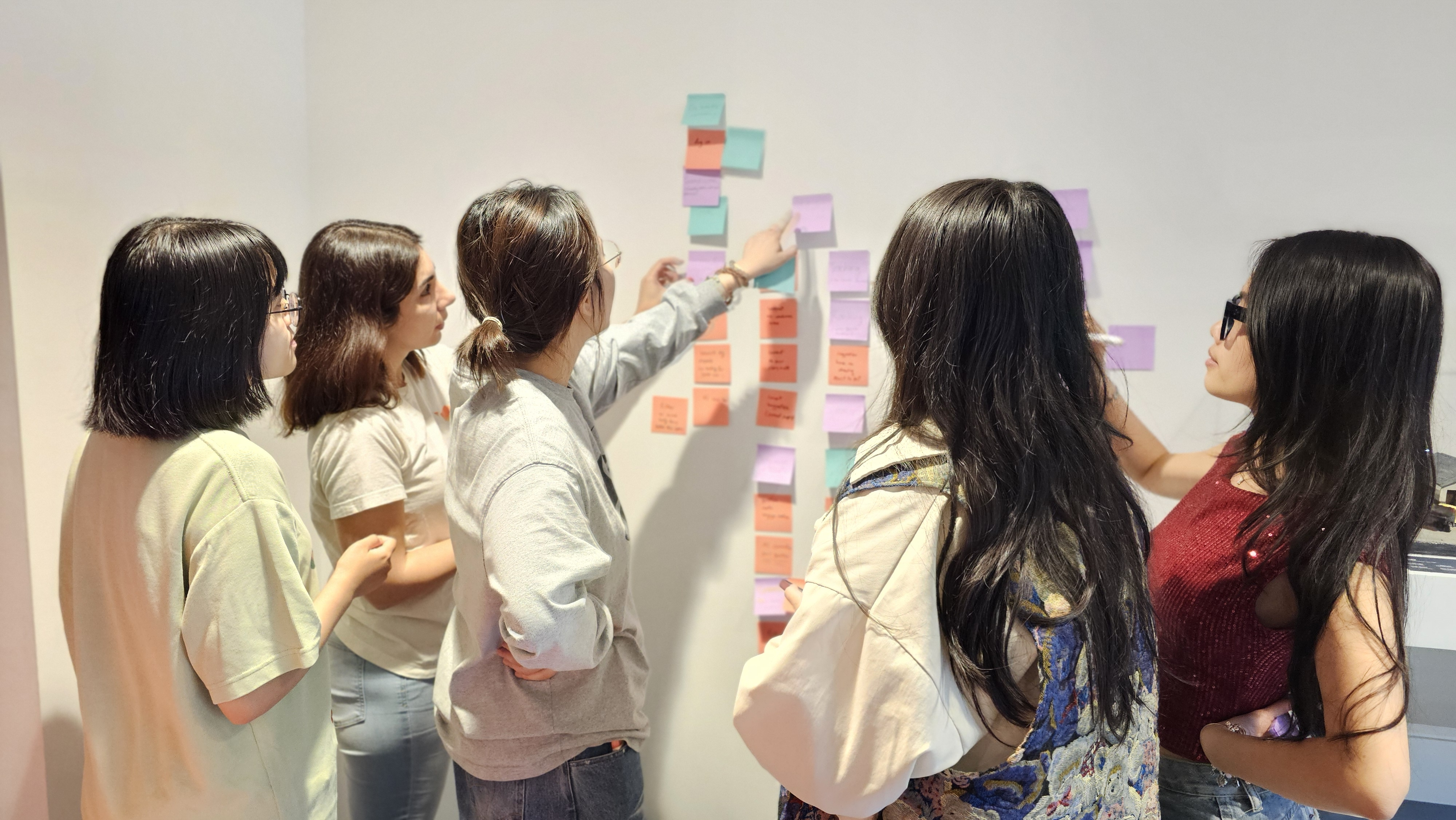
From research to structure
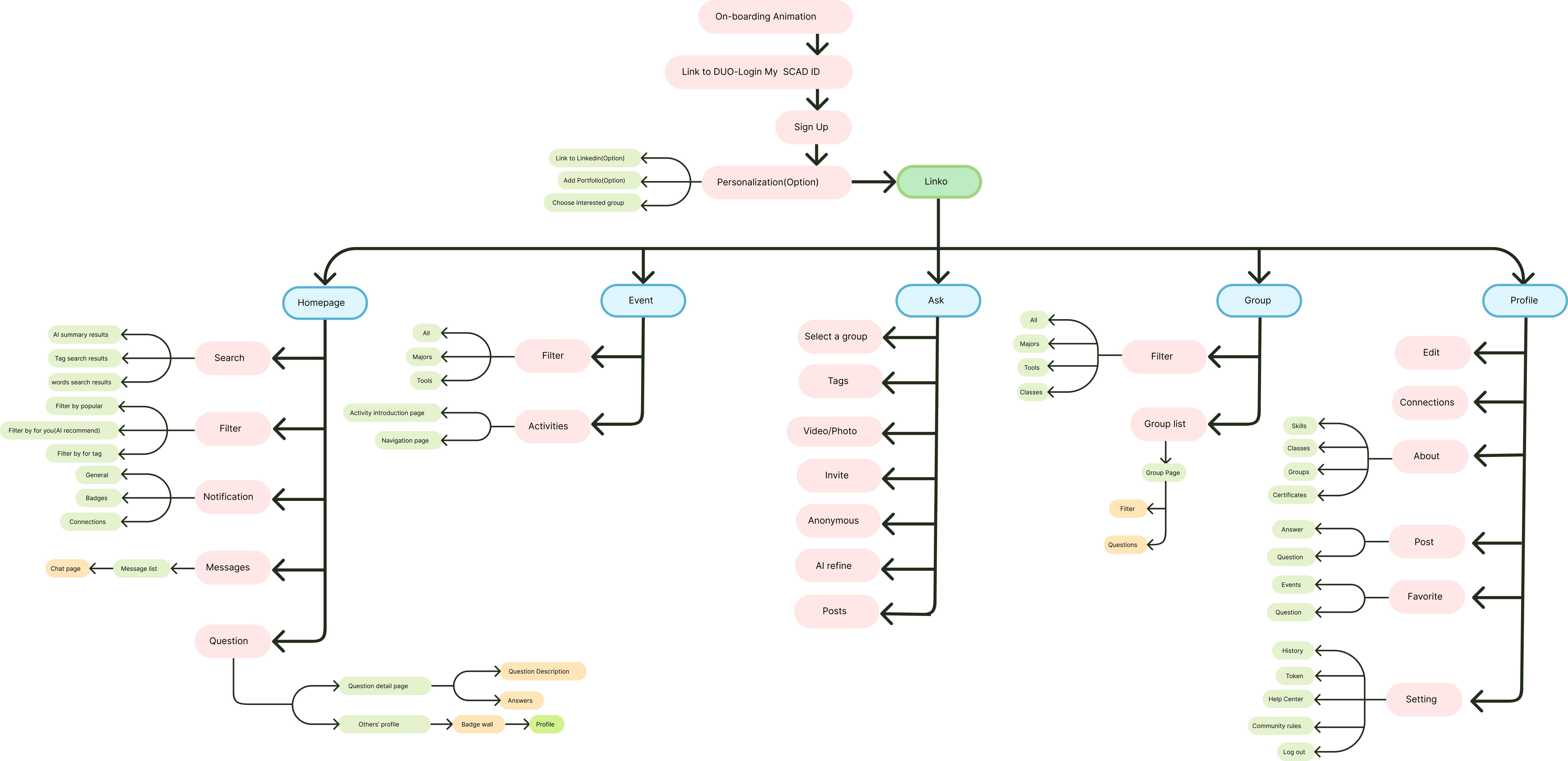
Research revealed three recurring needs: asking for help, finding relevant opportunities, and connecting with peers. I translated those needs into Linko’s information architecture, organizing the experience around Home, Events, Ask, Groups, and Profile.
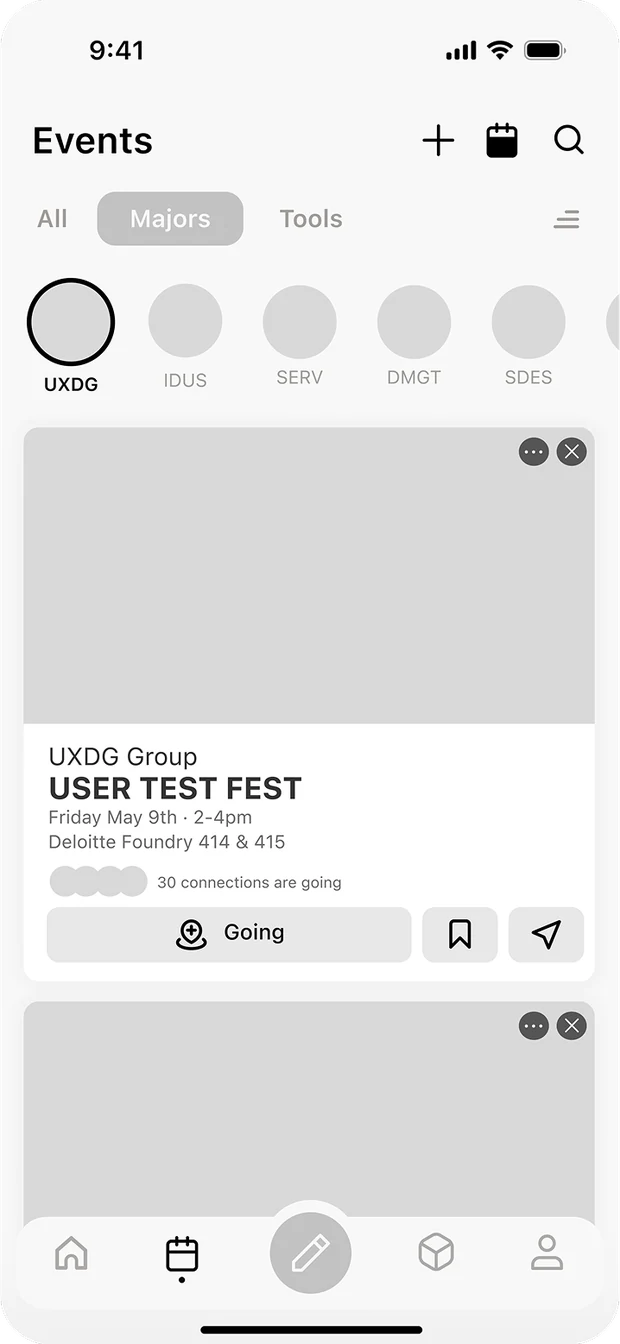
From structure to screens
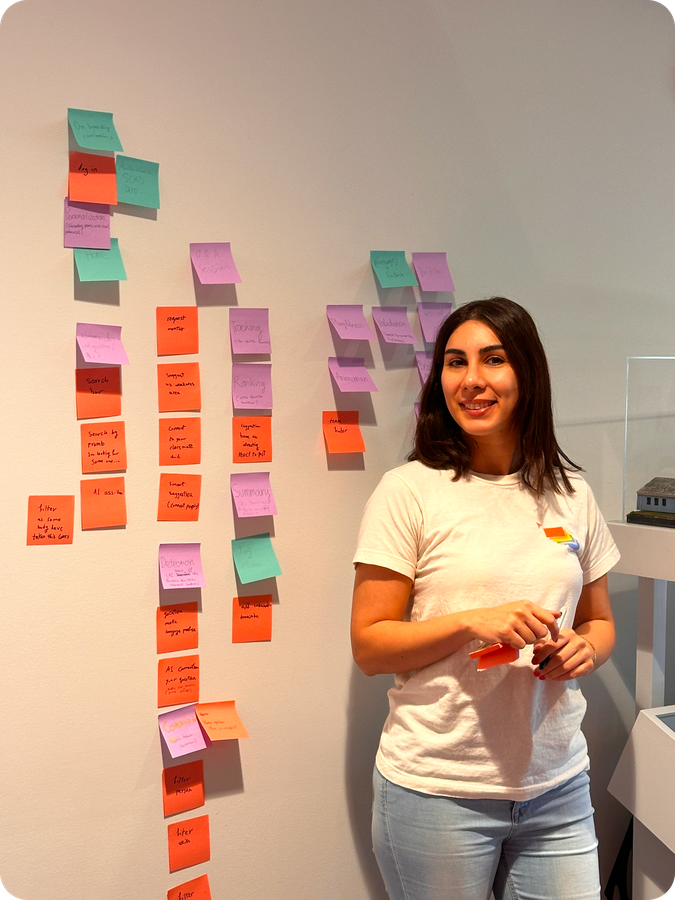
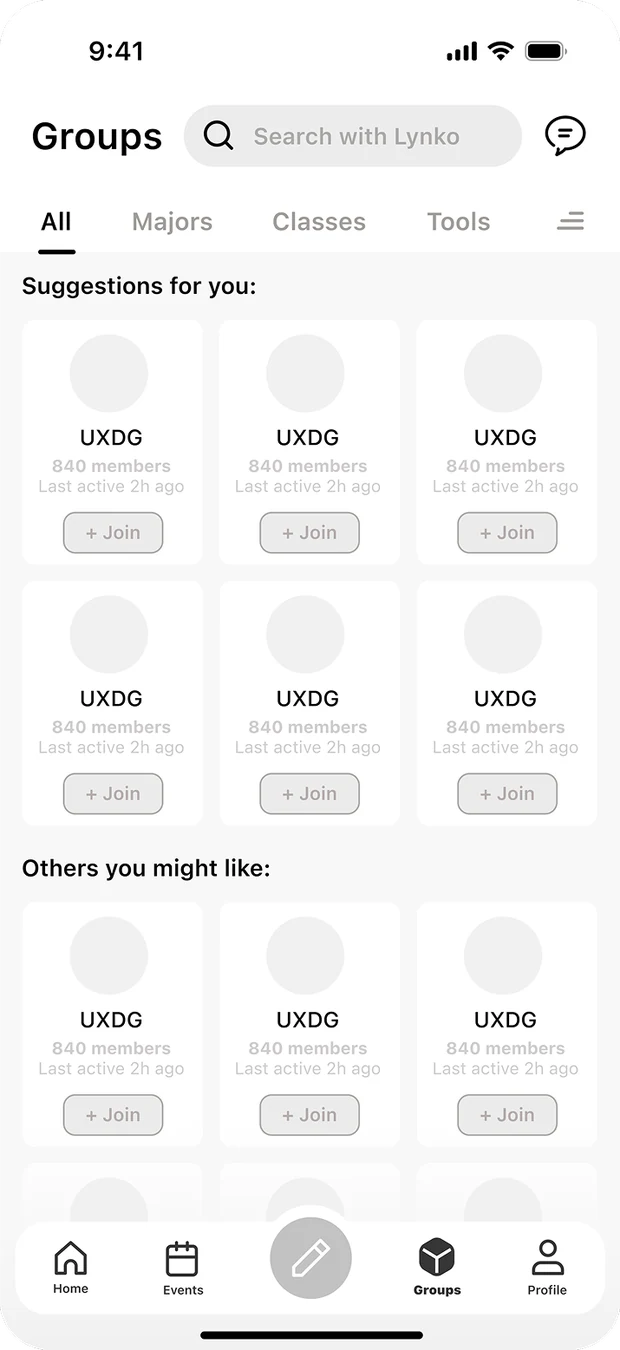
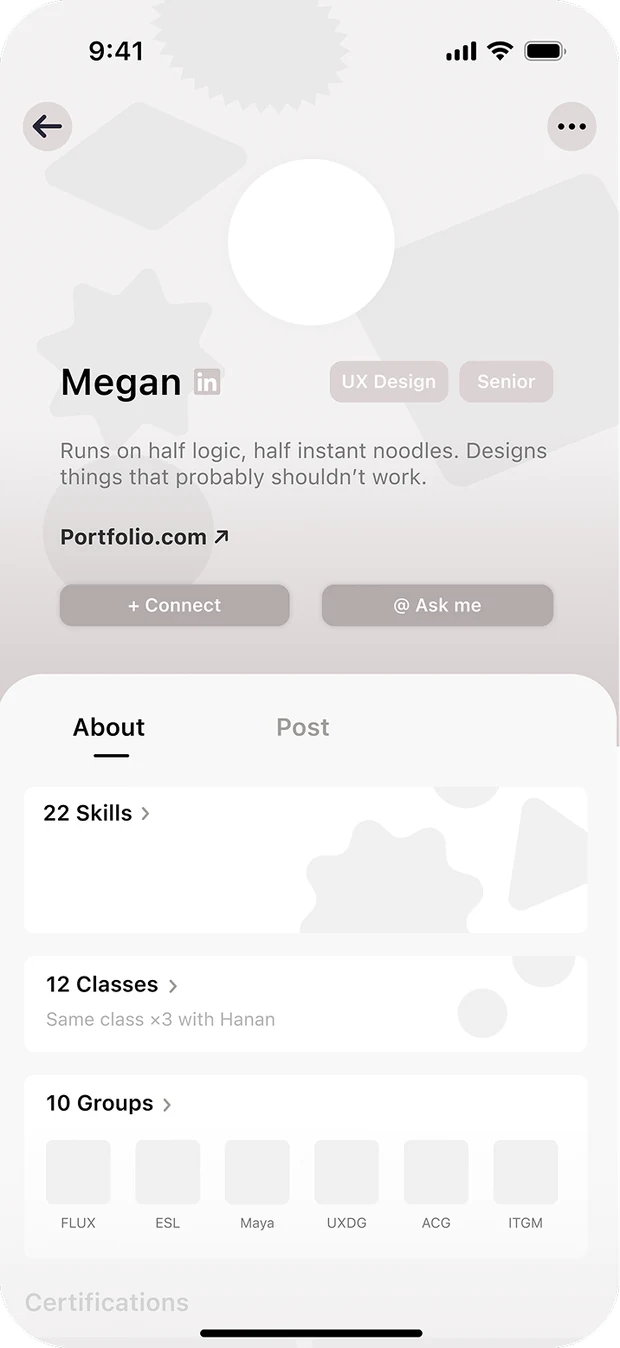
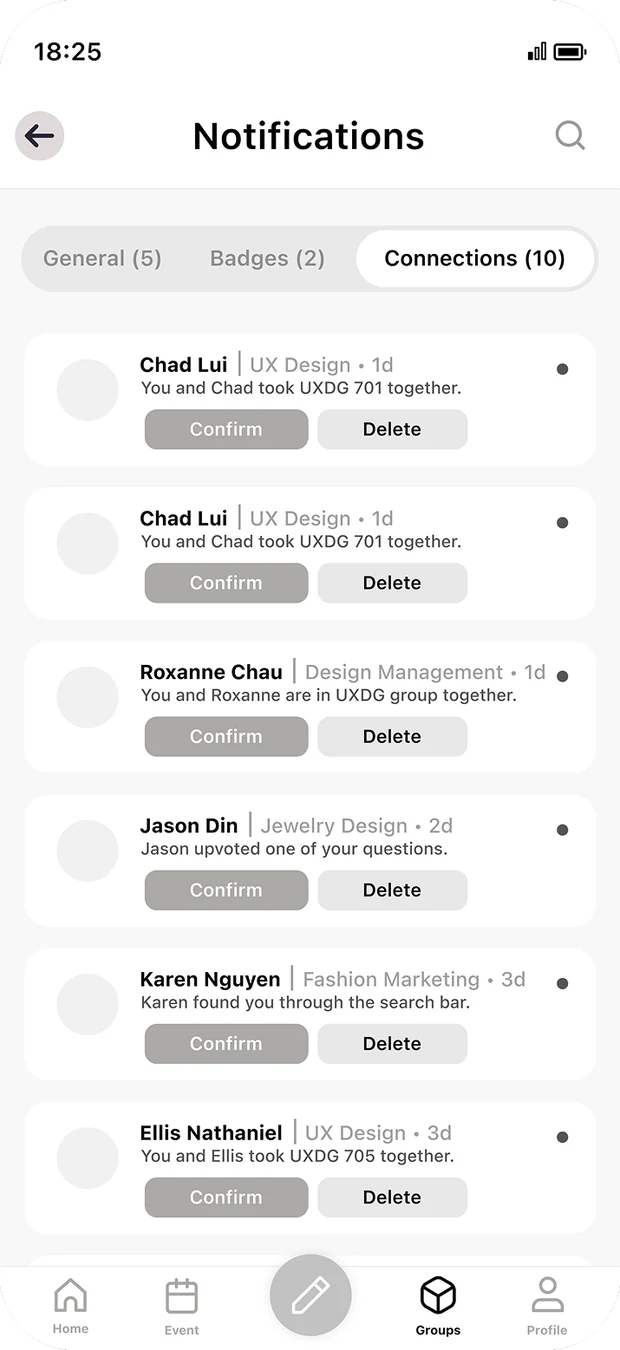
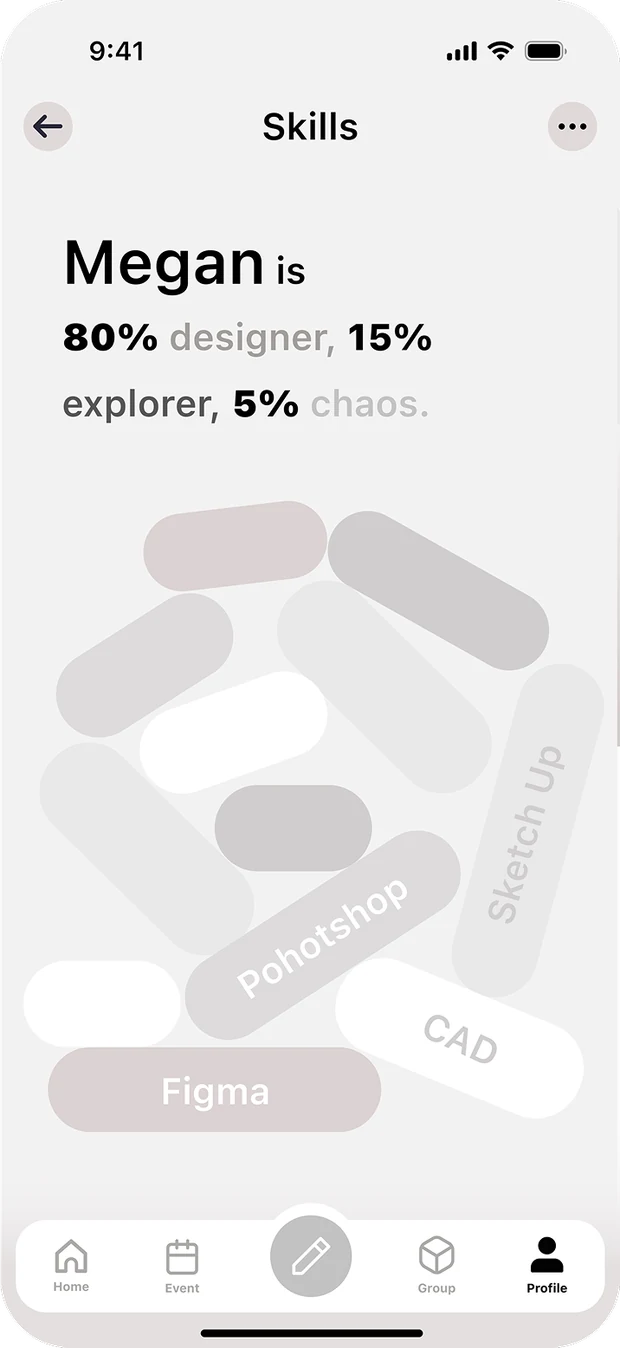
I translated the structure into user flows and interaction patterns, exploring how students would ask for help, navigate between spaces, and discover relevant groups and events. Through Crazy 8s, I compared different interaction approaches before developing the strongest directions into prototypes.
Putting Linko to the test
I tested the first prototype with 18 students to see where interactions felt intuitive, where students hesitated, and what needed refinement.
tested
-
79.86
SUS score
System Usability Scale average out of 100, solid, but short of the 85 we wanted.
-
27.78%
NPS
Net Promoter Score, students saw the value but weren’t yet ready to recommend it.
-
4
Blocking issues
Ask wasn't easy to find · Groups felt complex · Add to Calendar lacked clarity · Event discovery wasn't intuitive.
How I uncovered why students were missing Ask
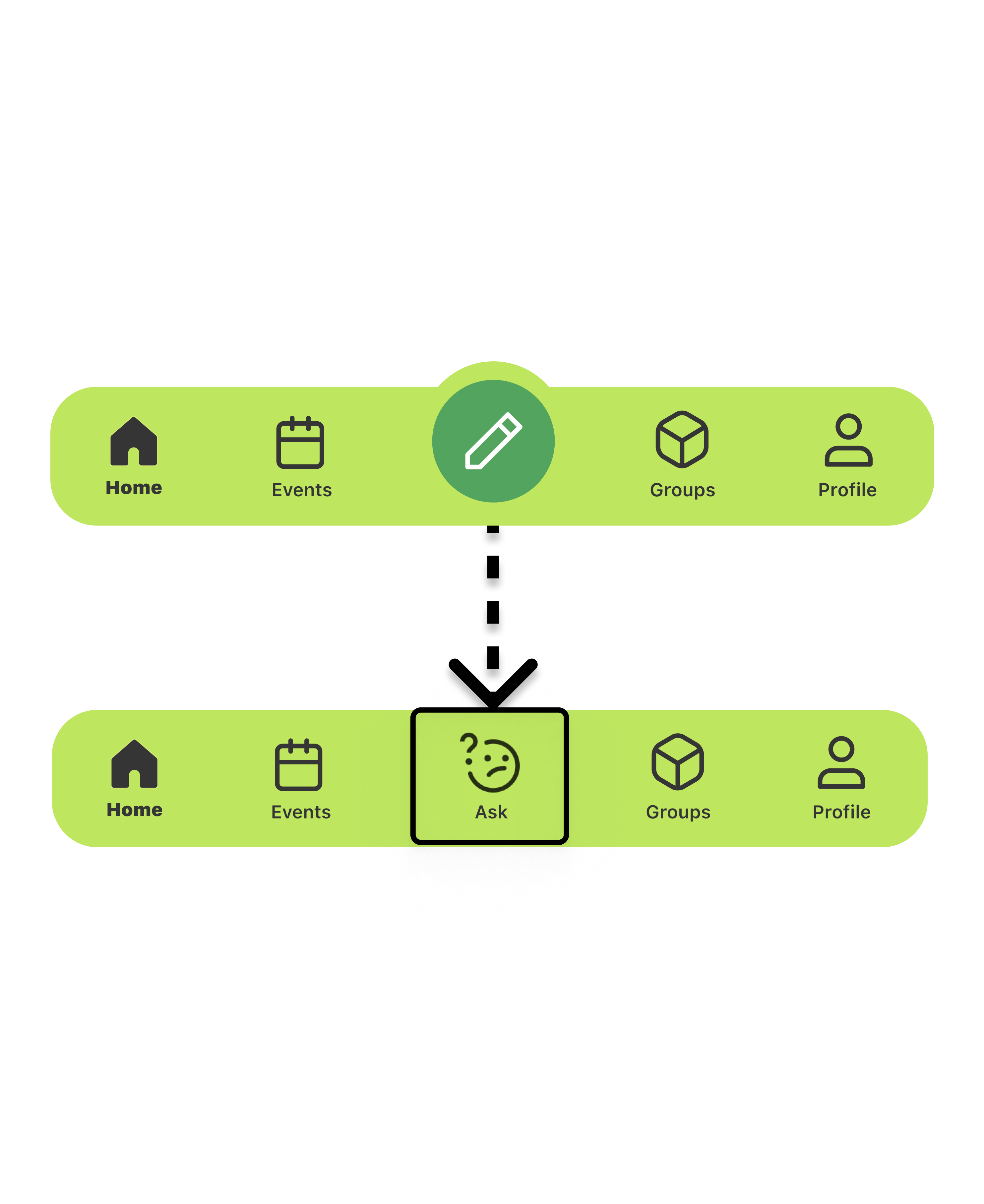
Students kept missing the Ask button, but was the problem its placement or the icon itself? Testing revealed the icon lacked recognition, so I A/B tested alternatives to find the clearest option.
Refining the interactions
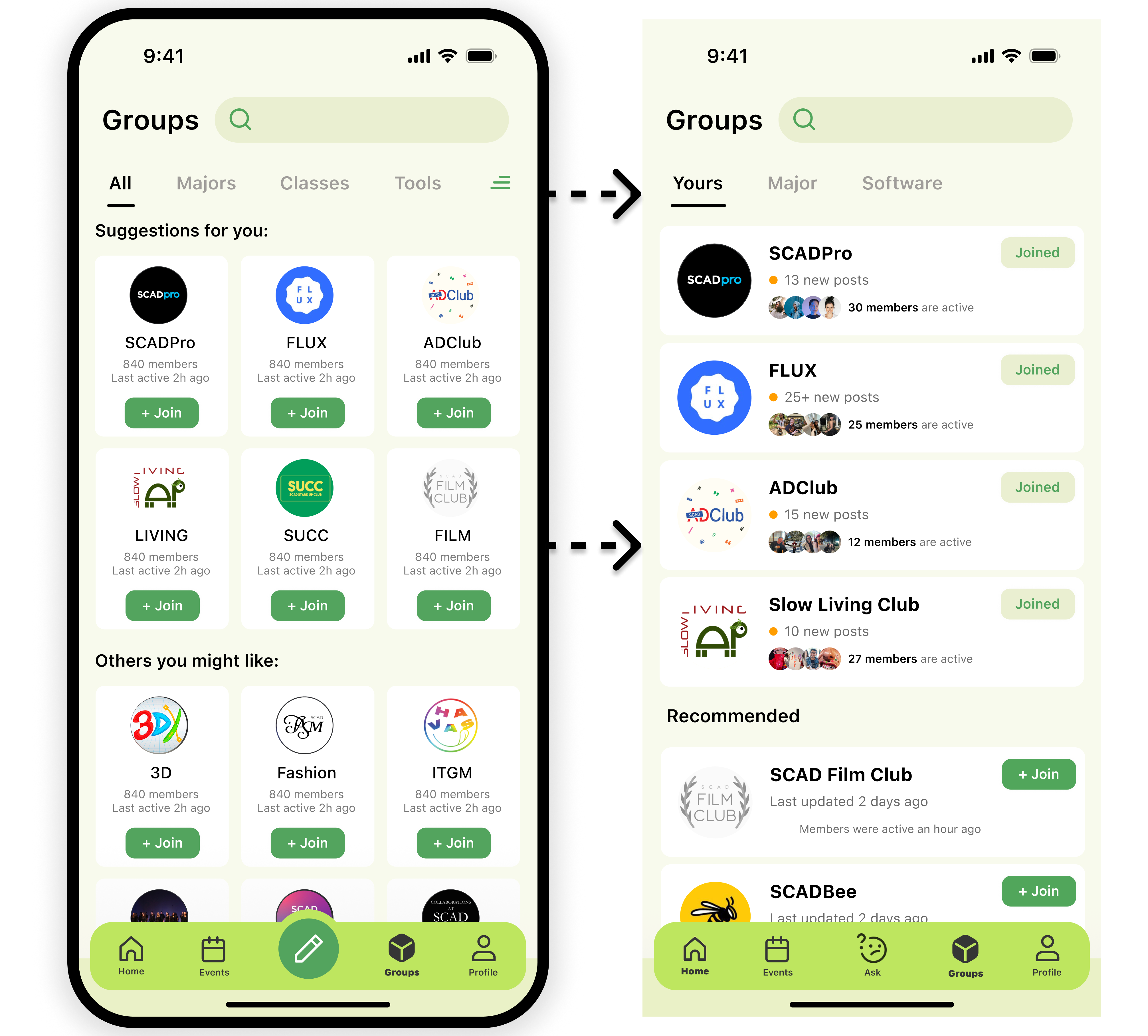
Simplified into Yours and Recommended, with joined groups labeled and separated so it's easy to tell which ones you're in.
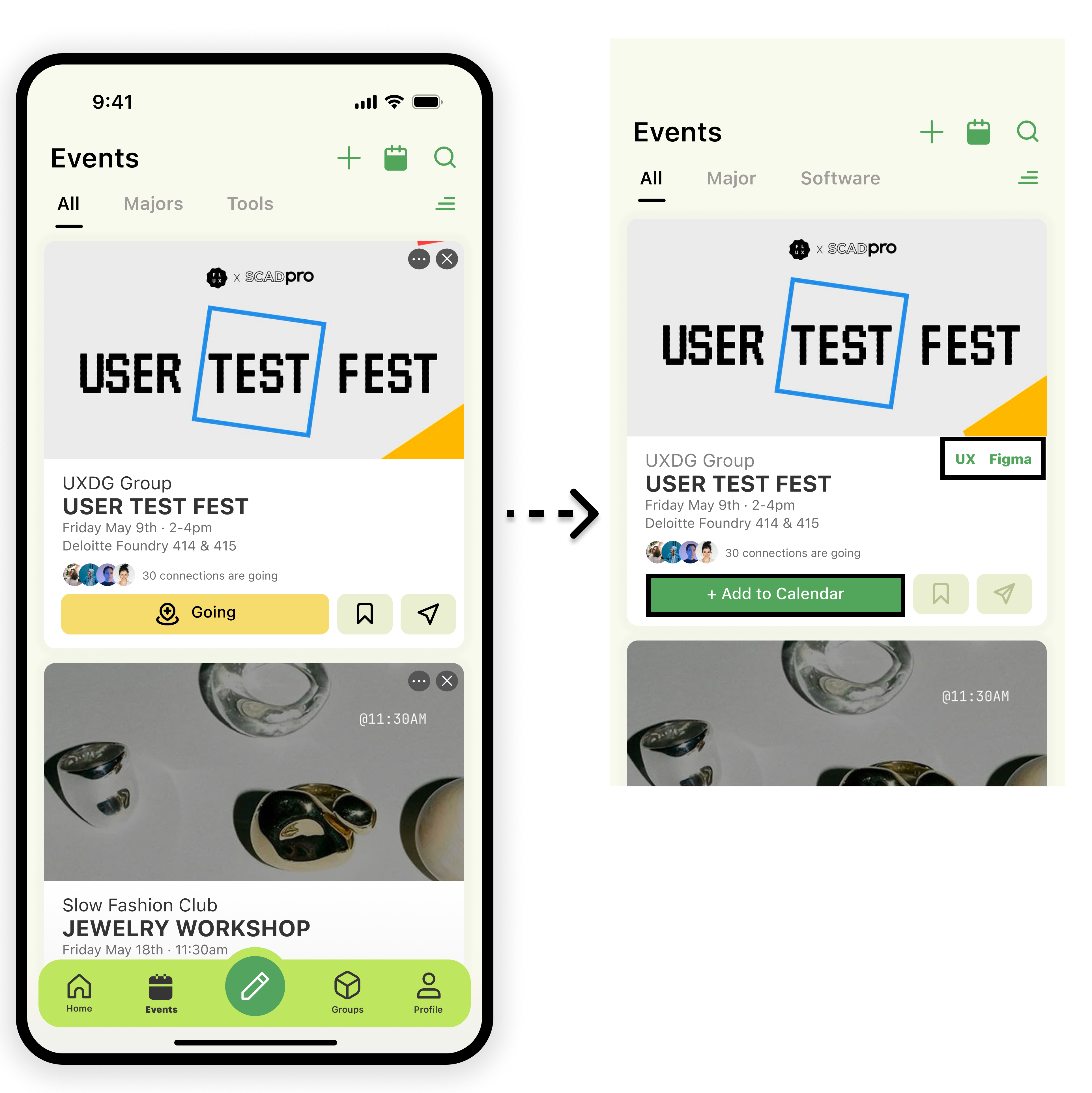
A bold green Add to Calendar replaced the vague “Going,” and UX / Figma tags make tool events easy to spot.
The pencil icon became a labelled Ask button, posting a question is now impossible to miss.
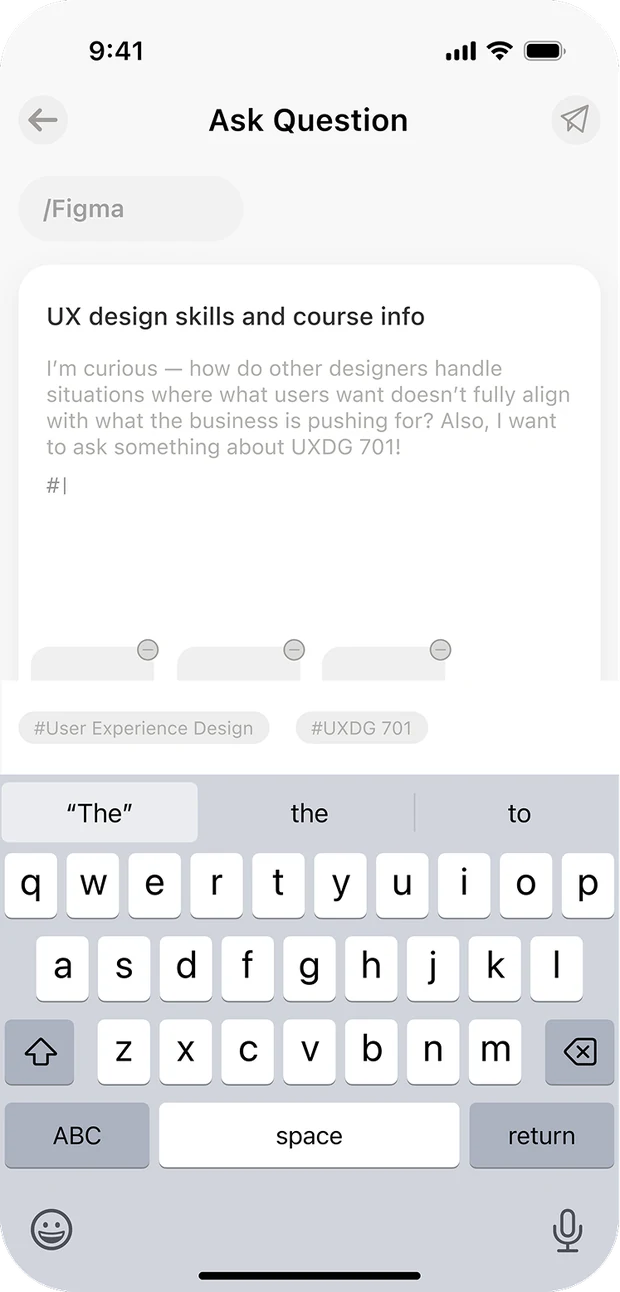
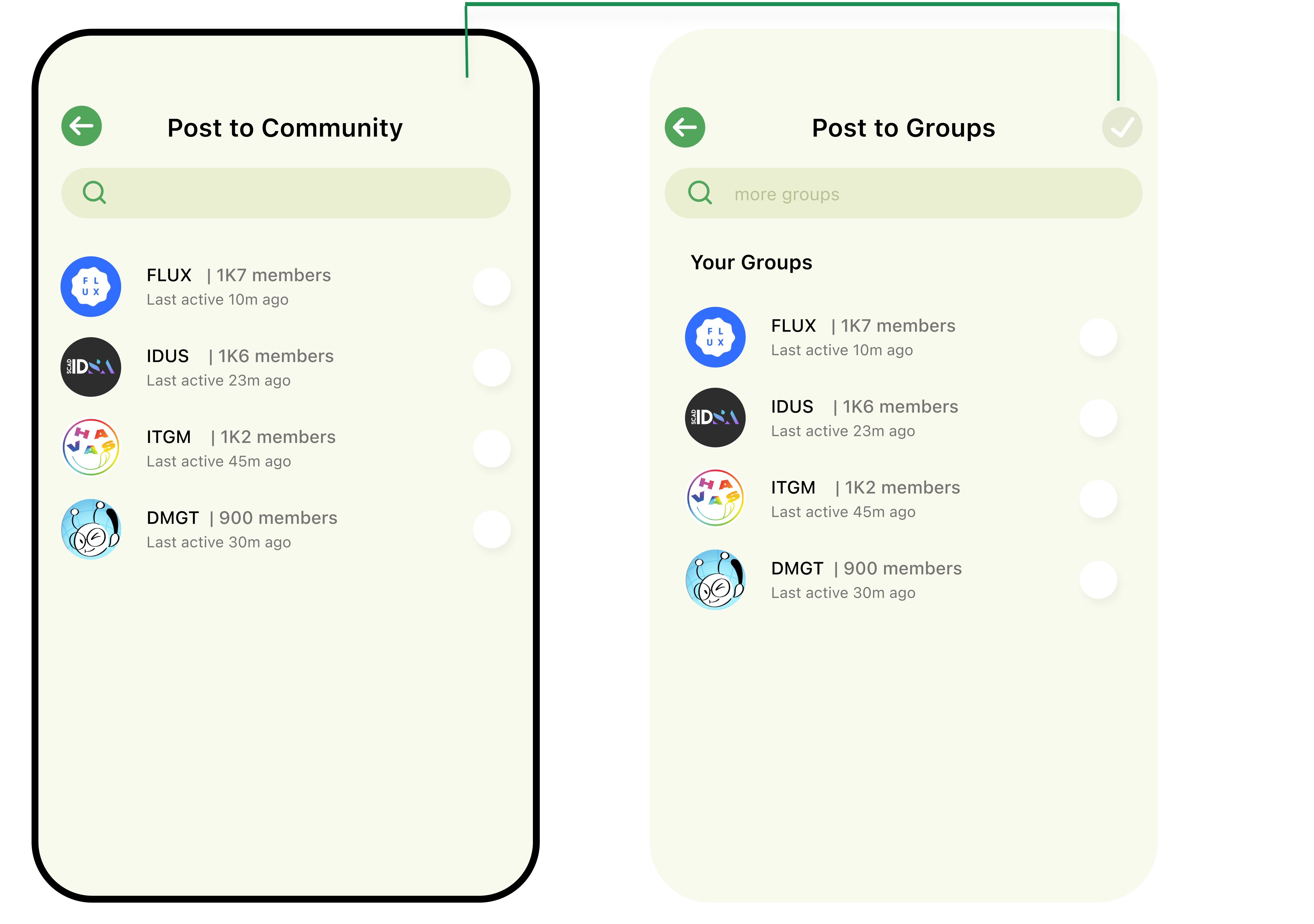
Post to Groups was renamed for clarity and gained a confirmation button.
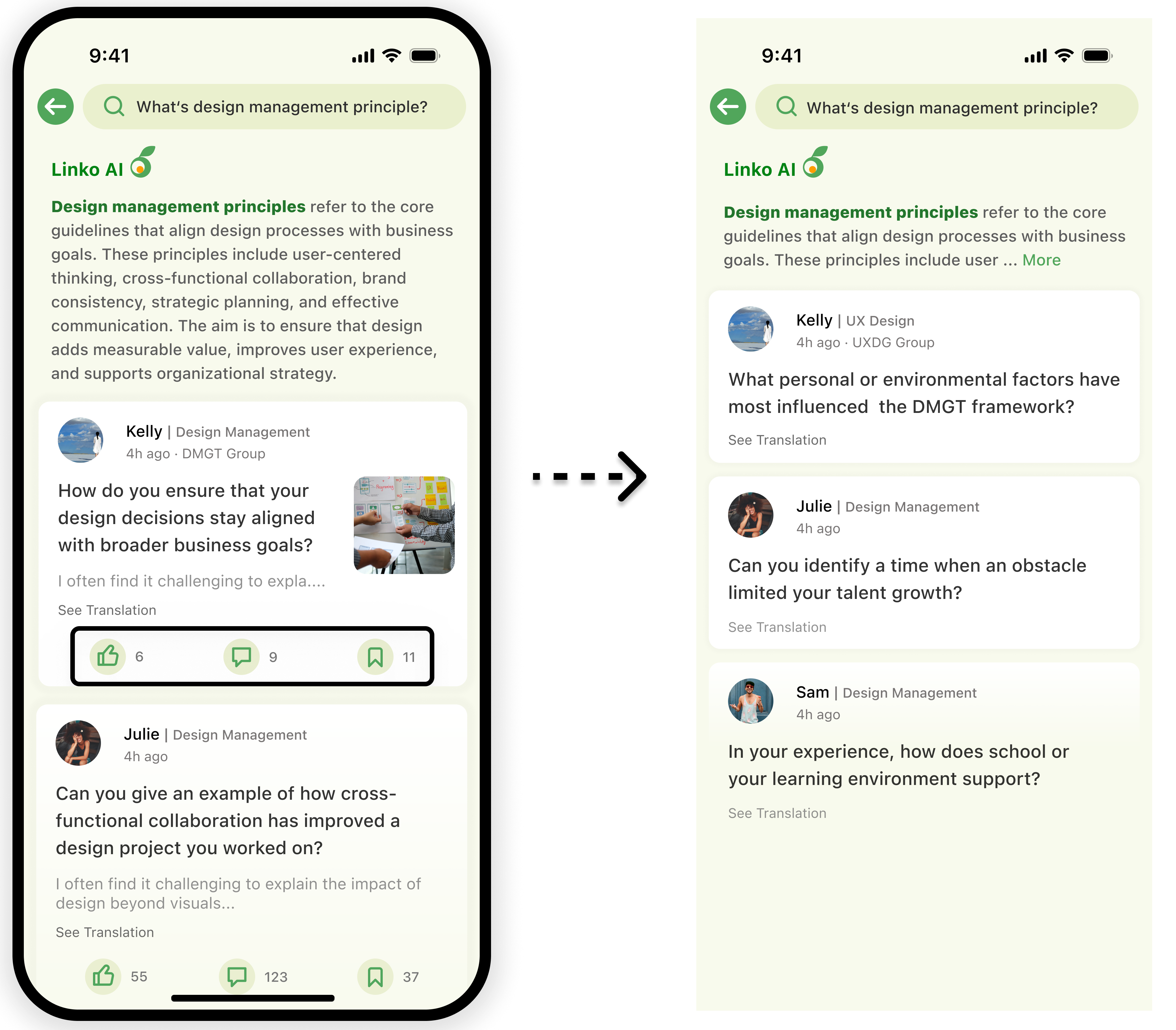
Shortened the AI answer and trimmed extra detail so users can focus on what they're actually looking for.
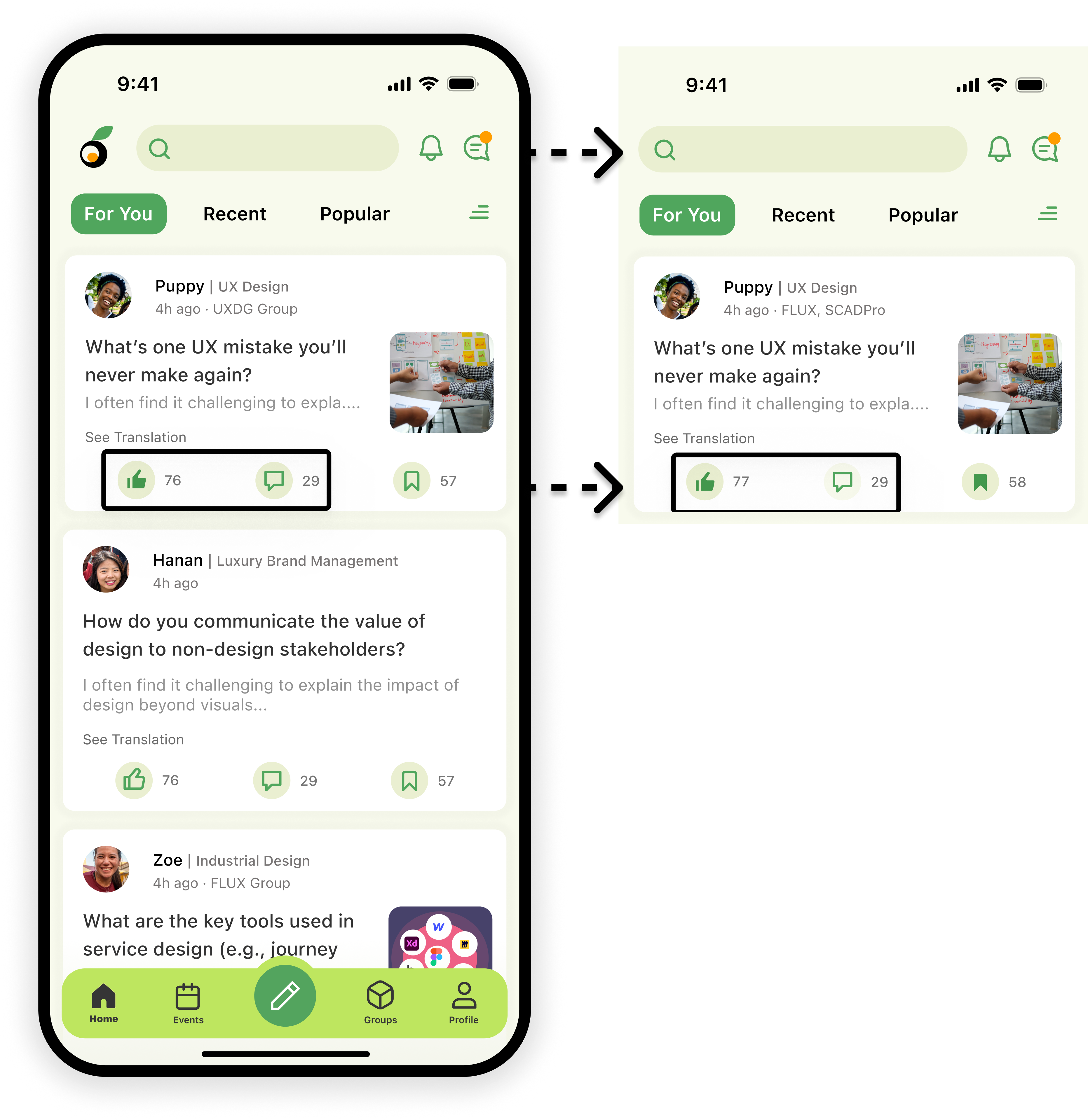
Logo was removed after users mistook it for a tappable element, and we fixed bugs blocking taps on post text, likes, and saves.
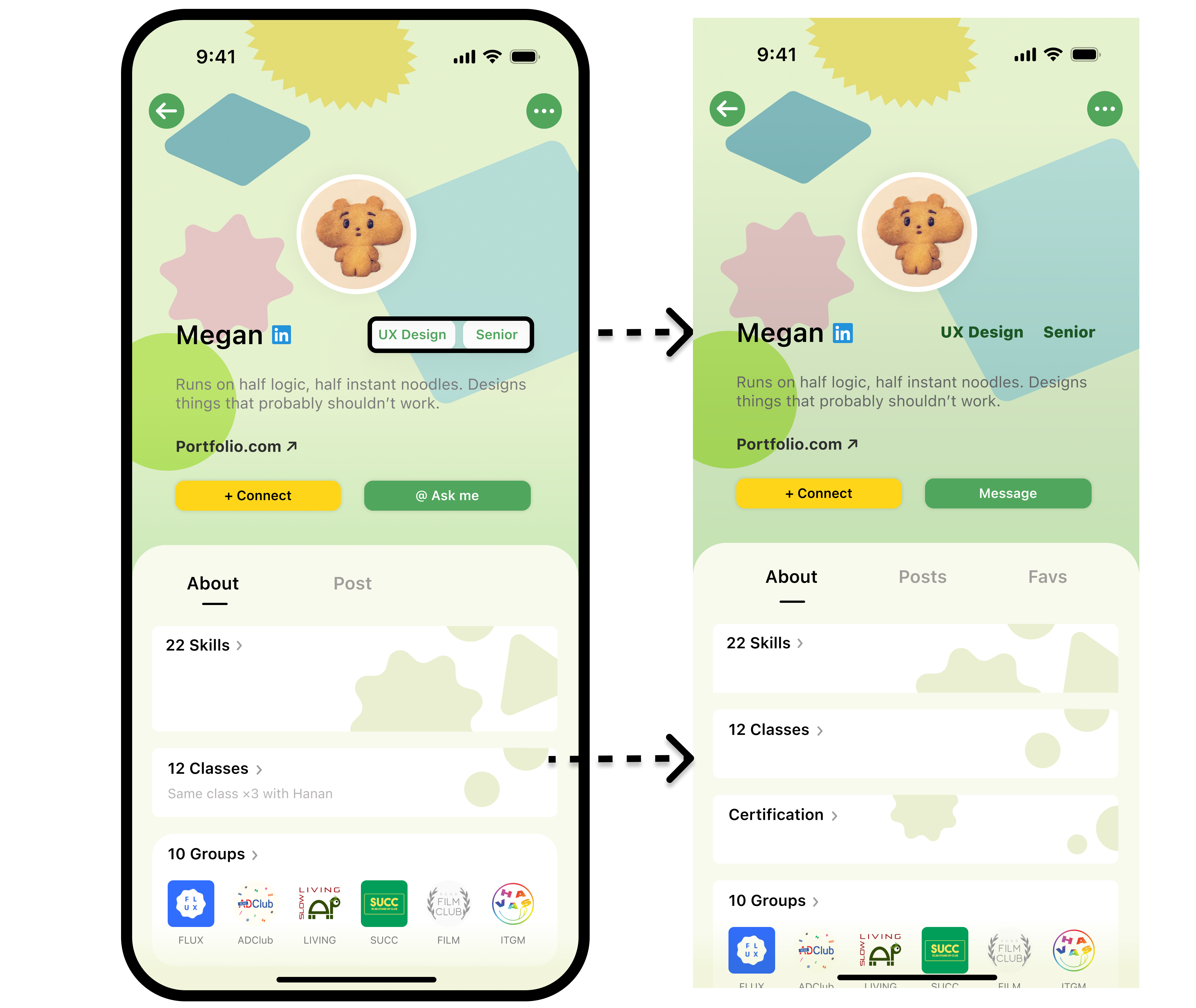
Fixed the tags so users stop mistapping them, and made cards consistent so everything's easy to find.
Did the redesign work?
I tested the redesigned interactions with 12 students to see whether the changes actually reduced friction.
SUS Round 1 Round 2
NPS Round 1 Round 2
A more connected campus experience
Linko brings peer support, communities, and campus opportunities together in one place, making it easier to ask, discover, and connect.
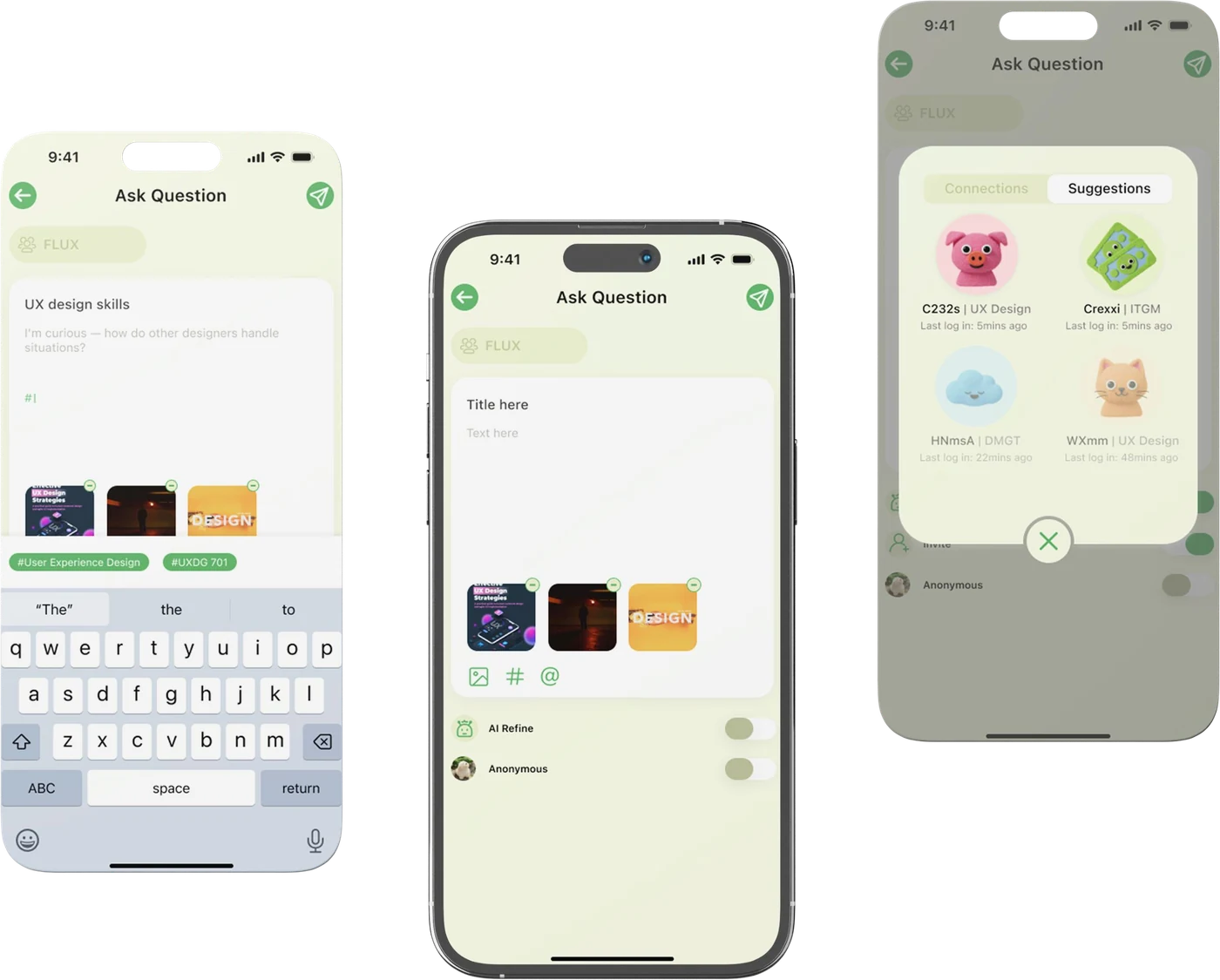
Ask anything, even anonymously
Post a study question to the right community and tags, keep it public or anonymous, attach photos or videos, and let AI tidy up your grammar and tone before it goes out.
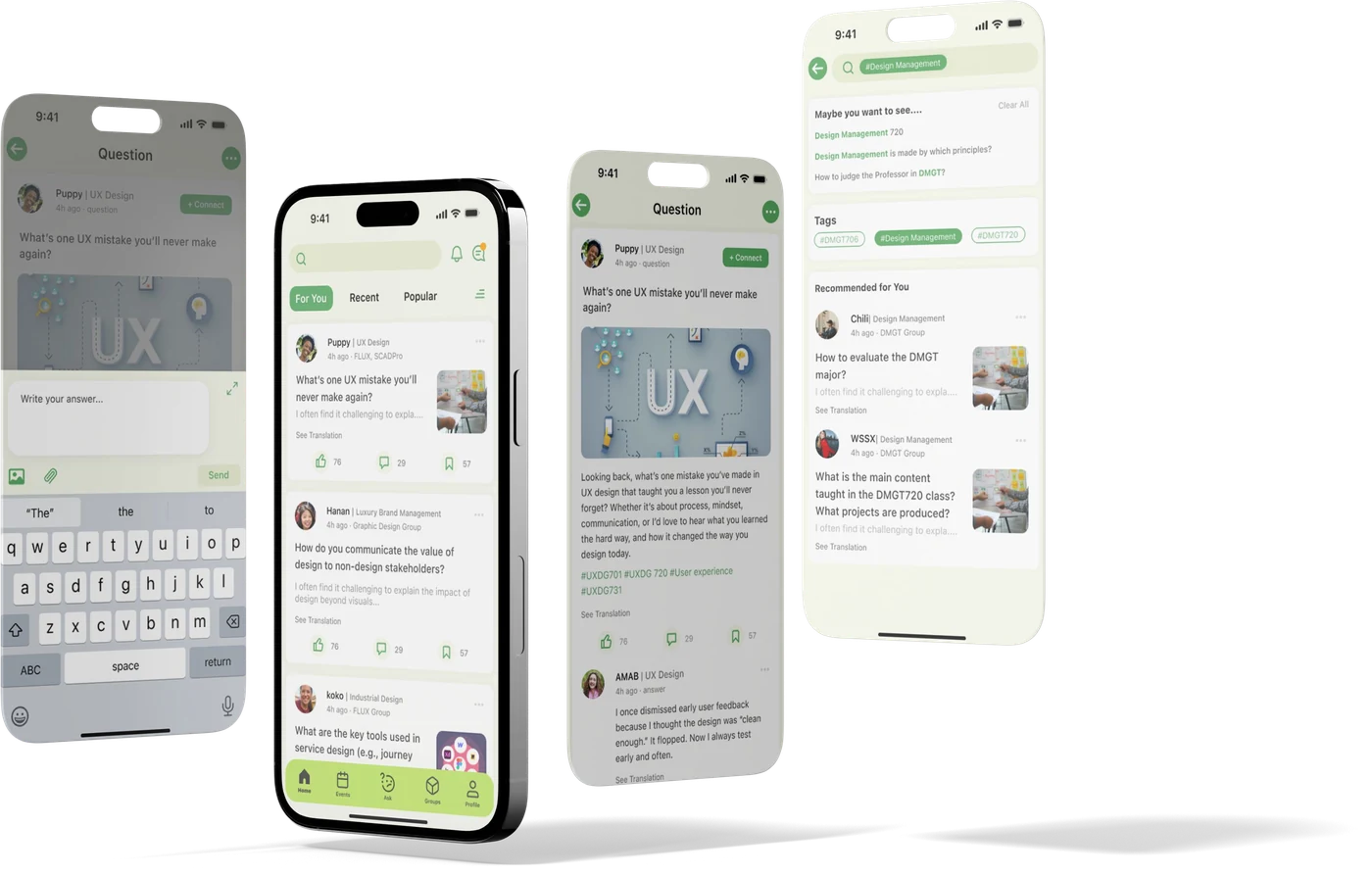
Learn by answering
Search or scroll the feed, read a quick AI summary before the full thread, then like, save and comment — or jump in with an answer of your own.
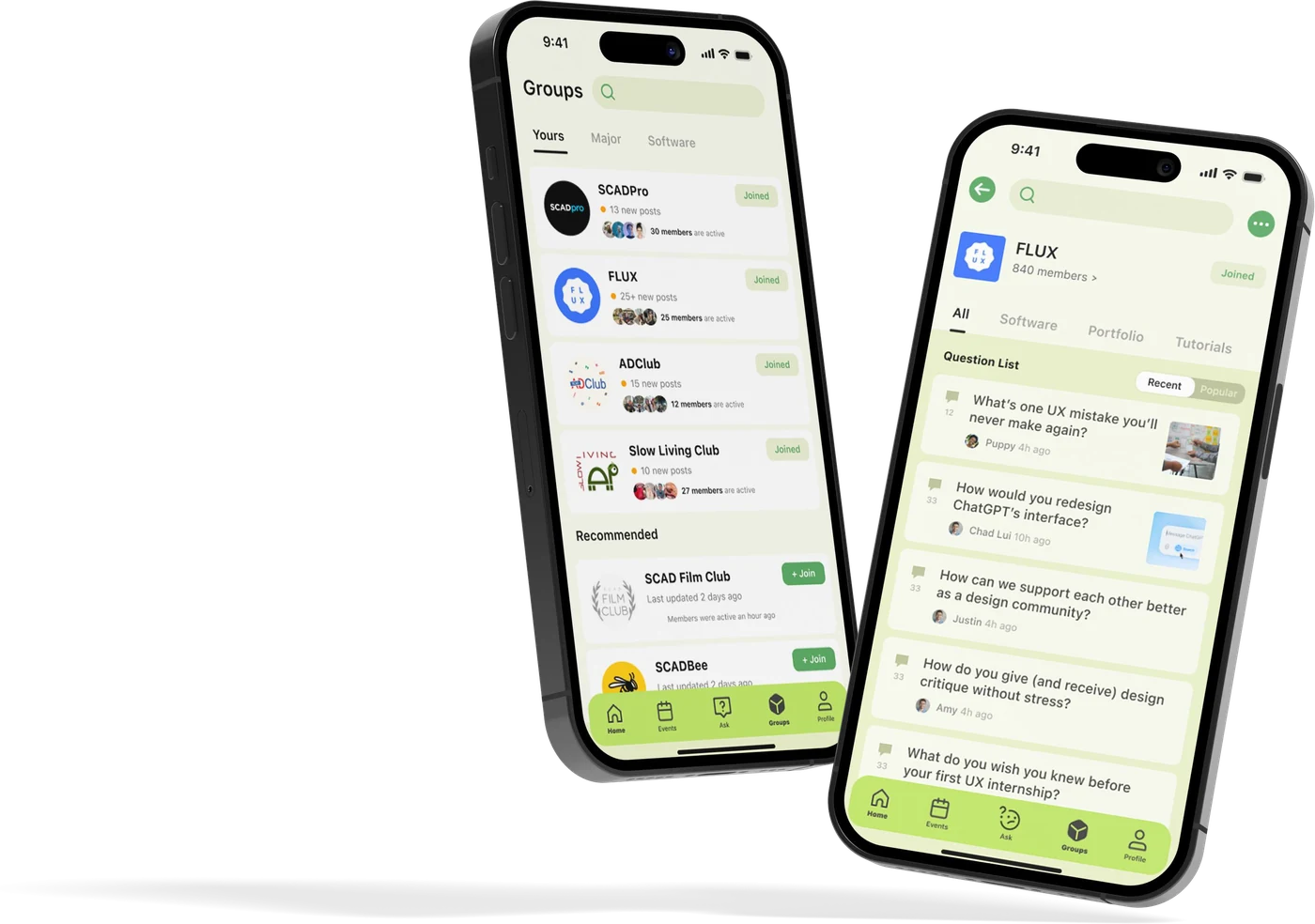
Find your people
Join the groups that fit your major and interests, or ones AI suggests, and browse every question neatly sorted inside each community.
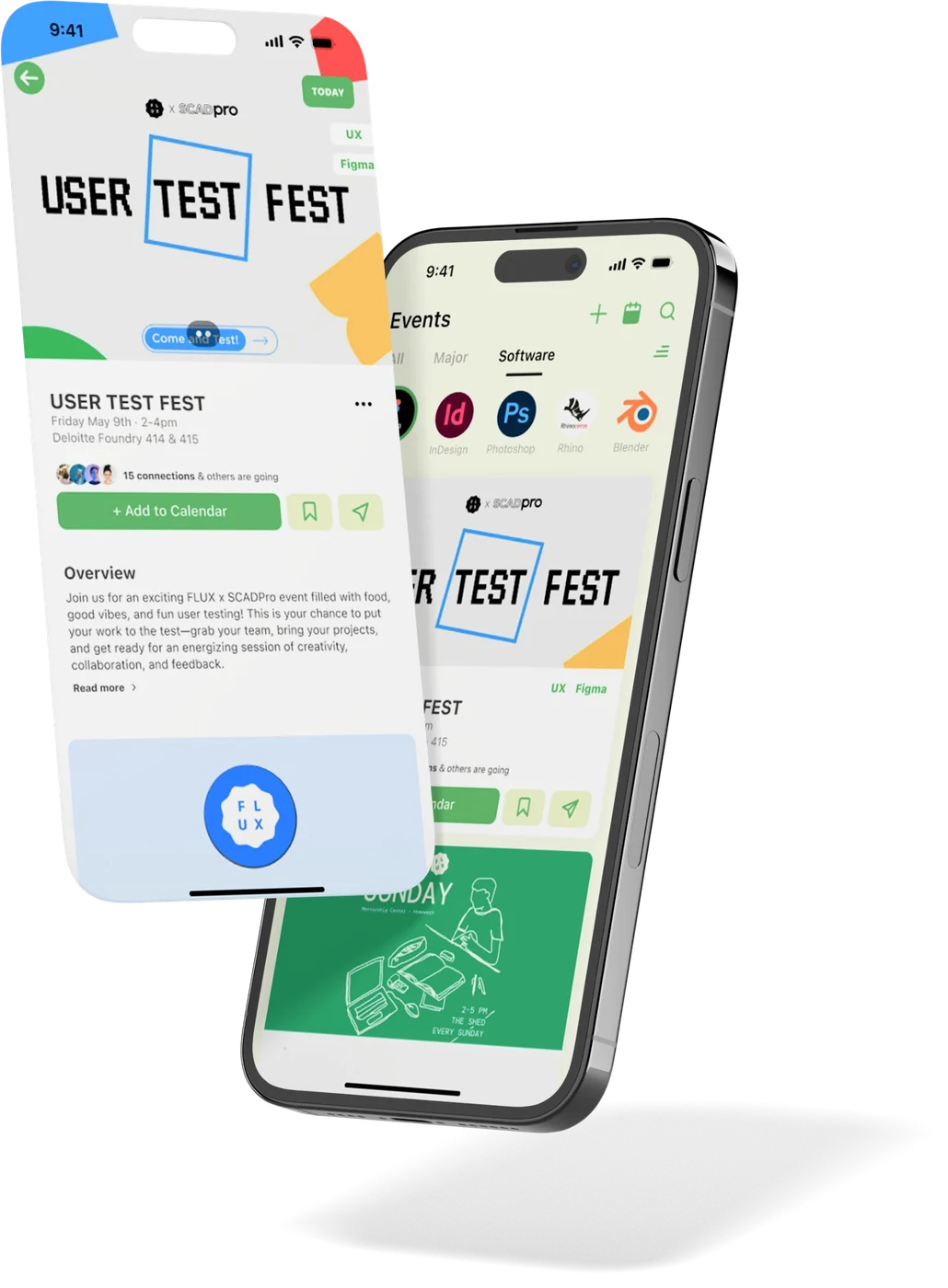
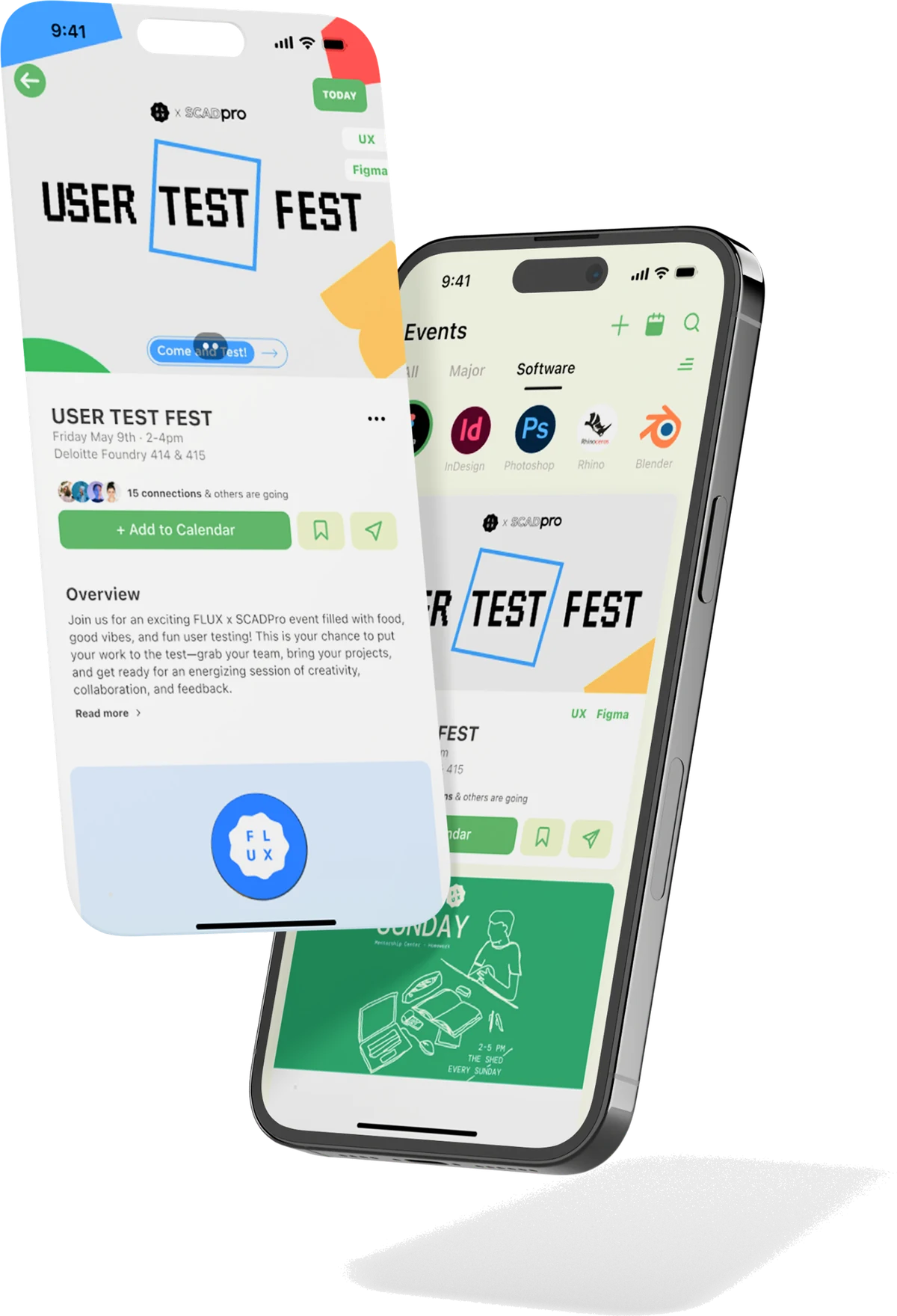
Never miss what's happening
Discover events by major, software or group, see how far away each one is, and drop the ones you like straight into your calendar.
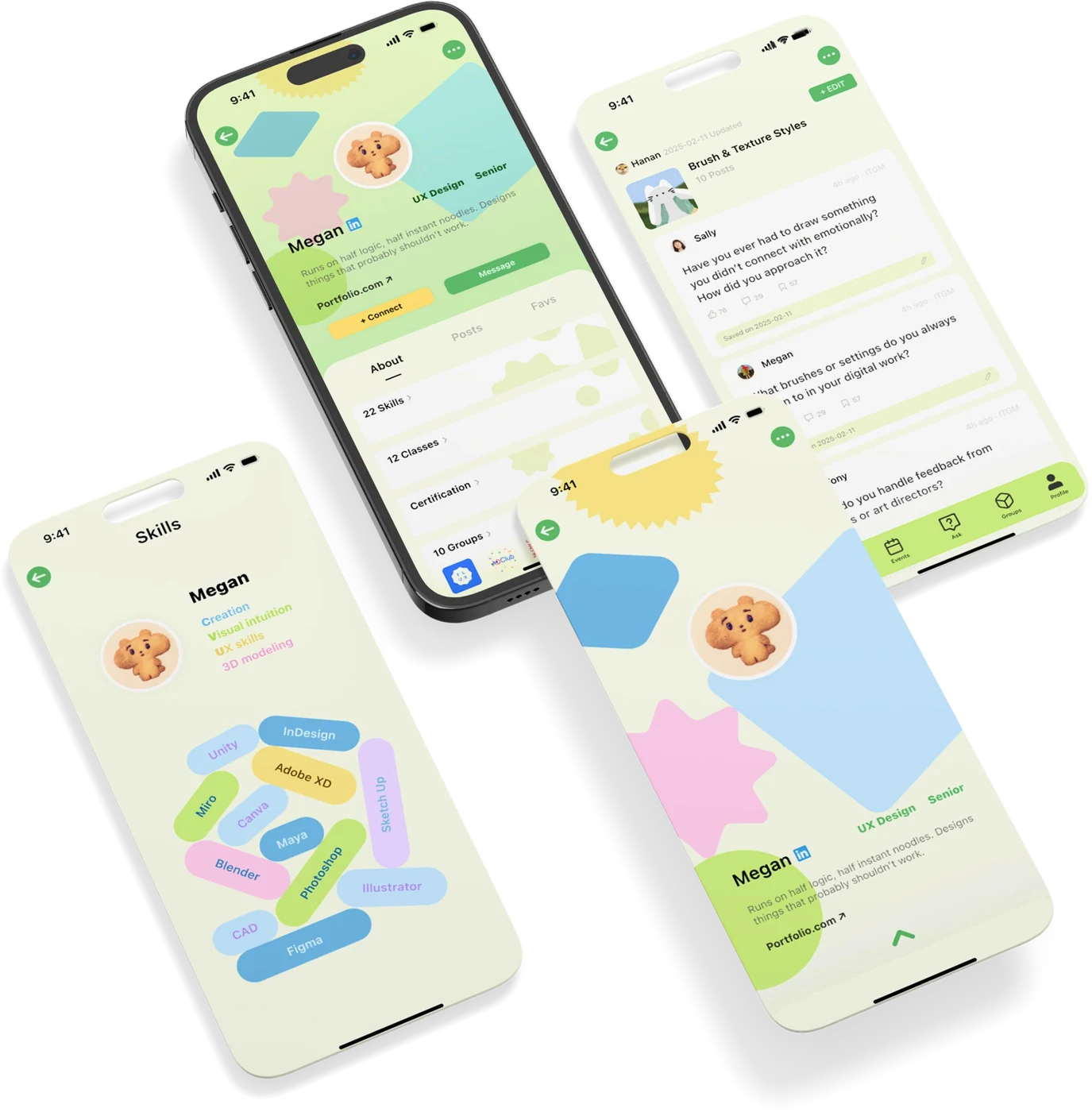
A profile that grows with you
Skill points, badges, certificates and classes all live on one profile — and anonymous mode keeps it private whenever you'd rather not be seen.
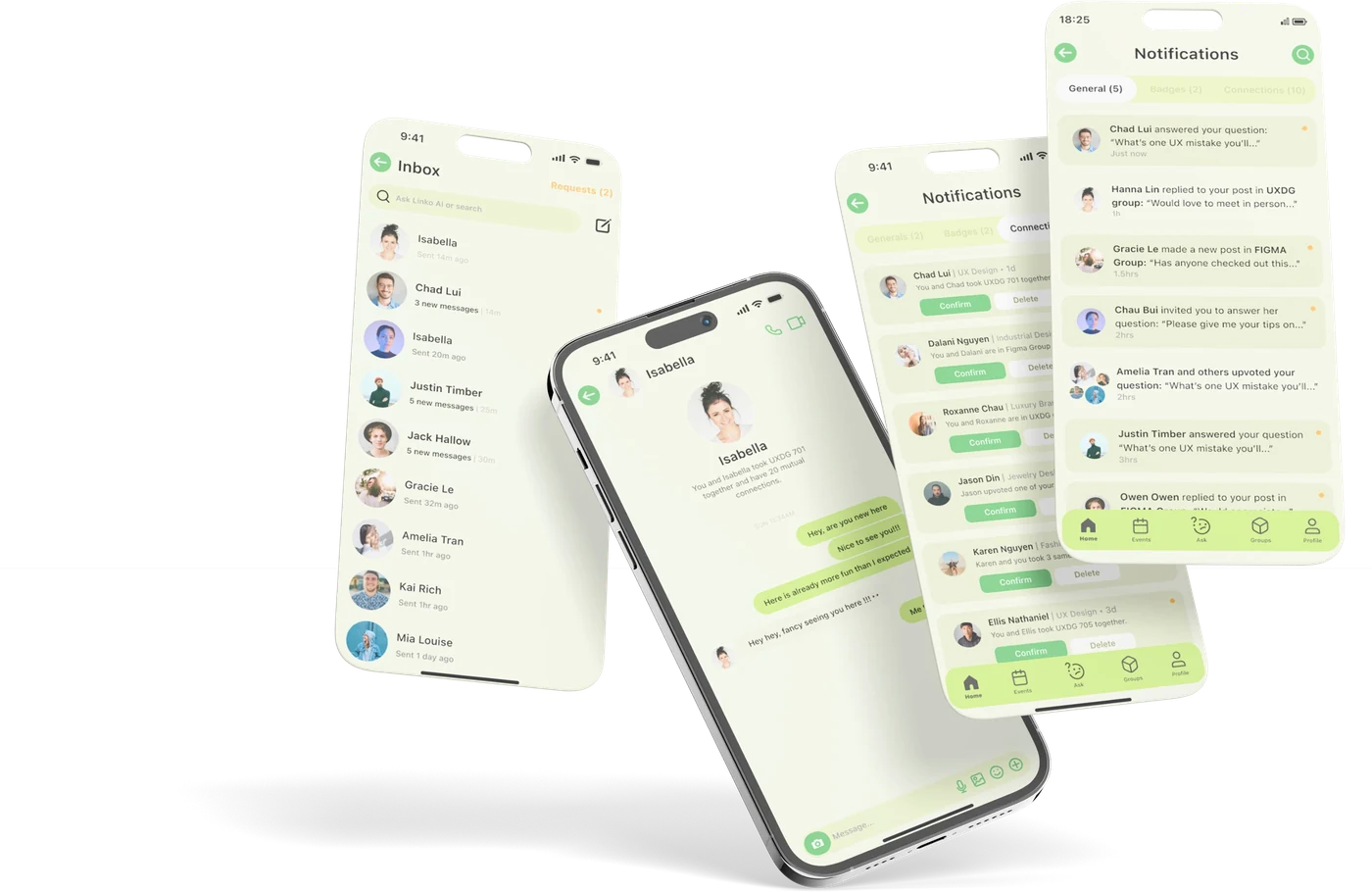
Stay in the loop
Get a nudge when someone invites you to answer or connect, and keep the conversation going with one-on-one chat in your inbox.
What changed for students
Two shifts came through in the second round of testing, one emotional, one practical.
-
Feeling alone Feeling connected
Linko gives students one trusted place to ask questions, discover opportunities, and build meaningful connections with their campus community.
-
Confusion Clarity
Events, communities, and campus resources became easier to find, helping students stay informed and engaged throughout campus life.
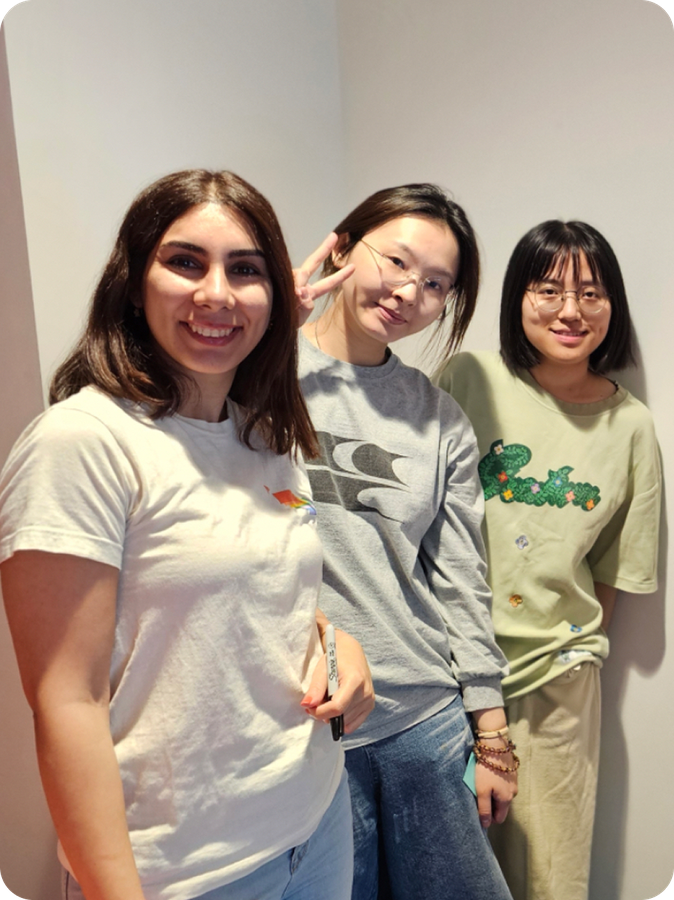
The team behind Linko
Five perspectives, plenty of ideas, and a few disagreements along the way. Regular feedback sessions helped us work through different viewpoints, learn from one another, and shape Linko together.
- Jinghe CaiStrategist
- Maryam EyvaziUX Research & Interaction Design
- Juno ShiPrototype Designer
- Peiyuan YuVision Video & UI Designer
- Hailey DangUI Lead